System Help: Applying for an Extension

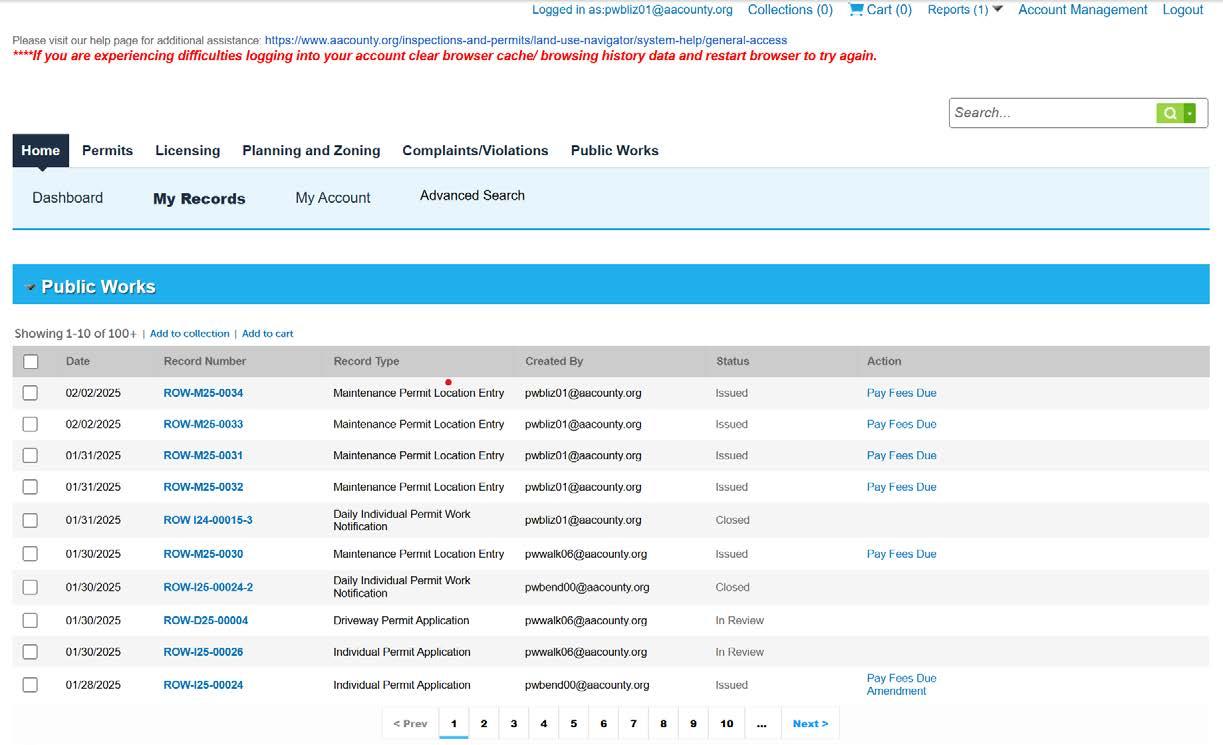
Screenshot of the Anne Arundel County Public Works portal showing a list of permit records with columns for date, record number, status, and actions.

Step 1


  • Home

  • Select My Records.

  • Expand the Public Works list.

  • Locate the Record Number from the list.

  • Click the Amendment.


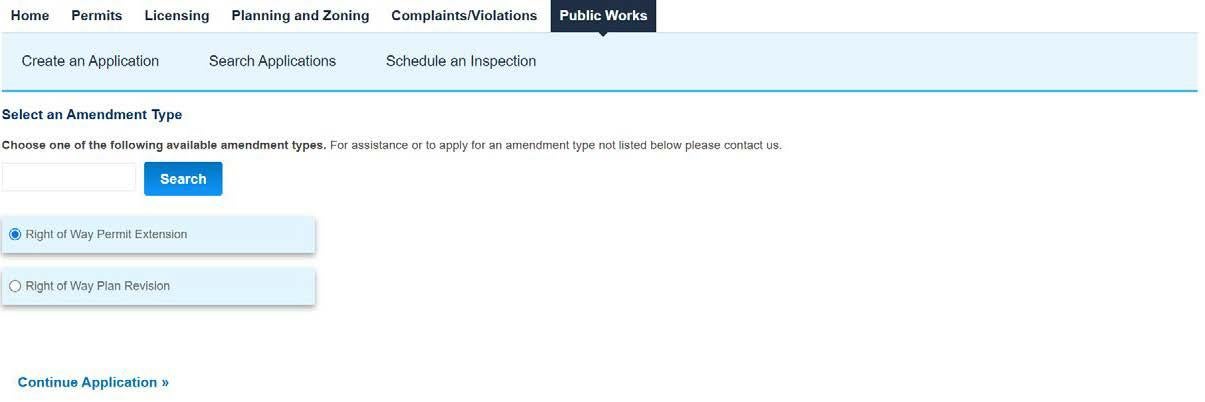
Screenshot of the "Select an Amendment Type" screen under the Public Works tab. The "Right of Way Permit Extension" radio button is selected.

Step 2


  • Select Right of Way Permit Extension.

  • Click Continue Application. 


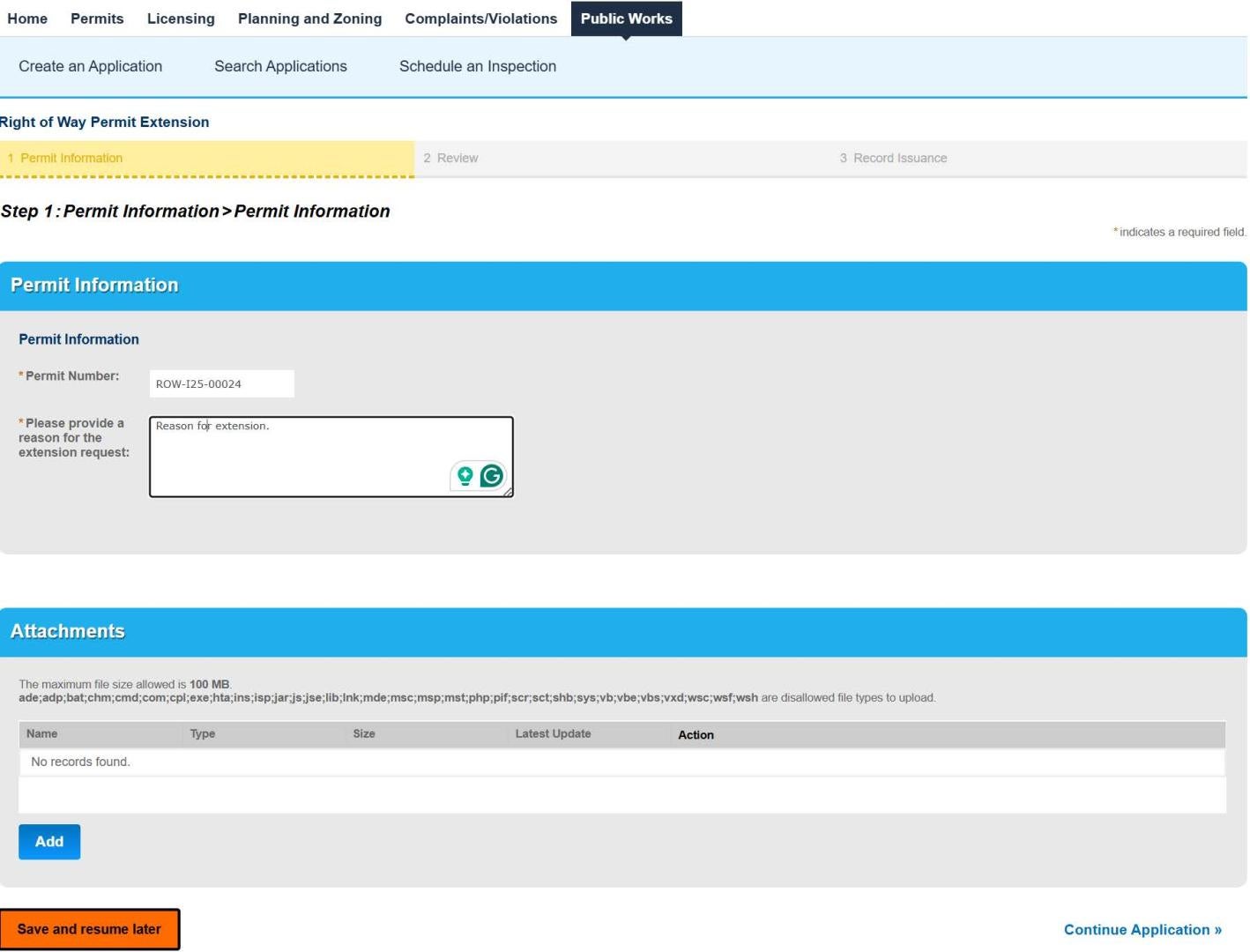
Screenshot of Step 1: Permit Information for a Right of Way Permit Extension. The form includes a text box for the reason for the extension request and an attachments section with an "Add" button.

Step 3


  • Permit Information

  • Enter a reason for the extension.

  • Click Continue Application.


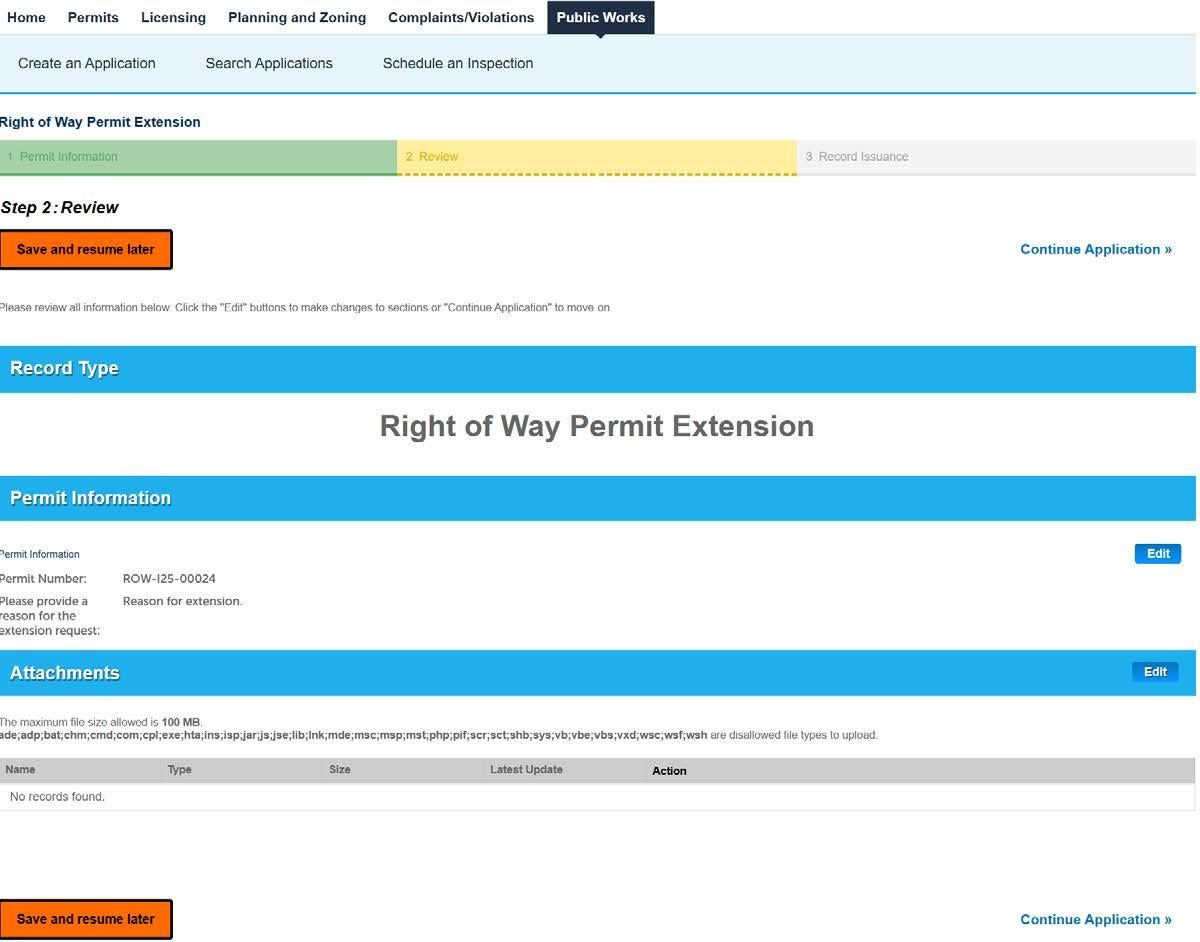
The review screen of the permit application portal, showing the summary of record type, permit information, and attachments before submission.

Step 4


  • Review Application

  • Click Continue Application.

  • If the permit is eligible for an extension, an updated copy of the permit will be emailed to the applicant.

  • If the permit is not eligible for an extension submit a new application for the proposed work.

  • A confirmation number will be displayed on the next page.