
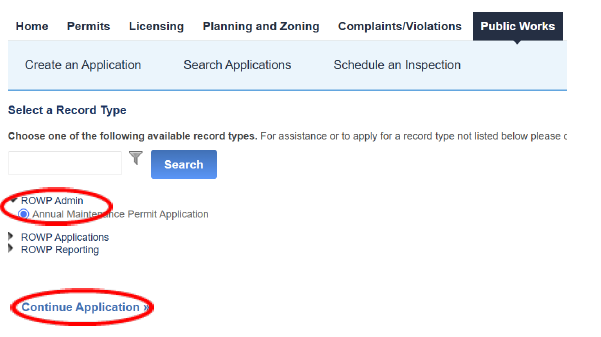
Selecting a Record Type
Click RoWP Admin.
Click Annual Maintenance Permit Application.
Click Continue Application .
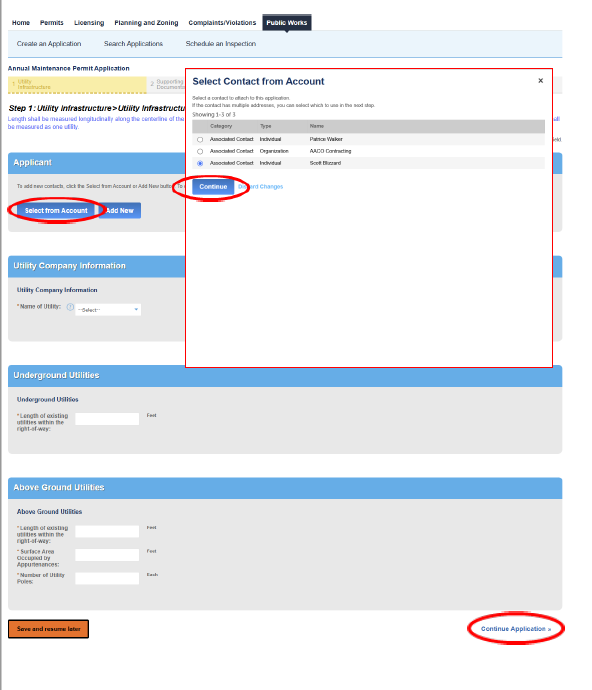
Applicant
Click Select from Account.
Select your name and address from the Contact list.
If your information is not listed, you add it in the Contacts section of the Account Management page.
Click Continue.
Utility Company
Select your Company from the dropdown.
If your company is not listed in the dropdown, it does not have a Maintenance permit. You can apply for work under the Individual Permit Application.
Underground Utilities/Above Ground Utilities
Fill out the information fields.
Click Continue Application.
Accela Annual Maintenance Application with User and Contractor Registration
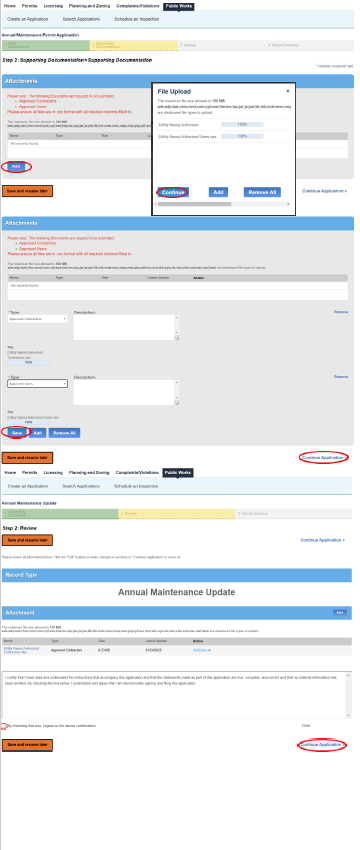
Attachments
Click Add.
Click Add in the popup window.
Select the files you would like to upload.
You select multiple files.
Click Continue.
Select the attachment Type form the dropdown for each attachment.
Click Save.
Click Continue Application.
Review
Review the Amendment.
Click the certification check box.
Click Continue Application.
The confirmation will be on the next page.
Accela Annual Maintenance Application with User and Contractor Registration
Adding additional Users and Contractors
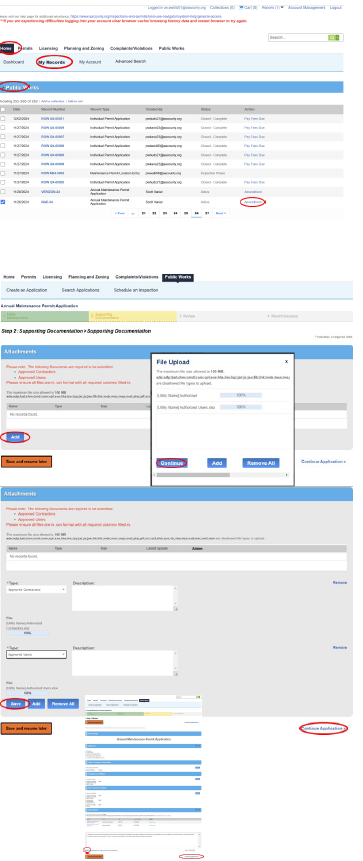
On the ACA Home Page
Click Home.
Click My Records.
Click the arrow by Public Works to display a lists of your permits.
Locate the Annual Maintenance Permit.
Click Amendment.
Attachments
Click Add.
Click Add in the popup window.
Select the files you would like to upload.
You can select multiple files.
Click Continue.
Select the attachment Type form the dropdown for each attachment.
Click Save.
Click Continue Application.
Review
Review the Amendment.
Click the certification check box.
Click Continue Application.
The confirmation will be on the next page.