
Log in to the Harbor system
Before proceeding with this help guide, you must be logged into the Harbor financial system. For your security, Harbor requires Multi-Factor Authentication (MFA) to complete the login process.
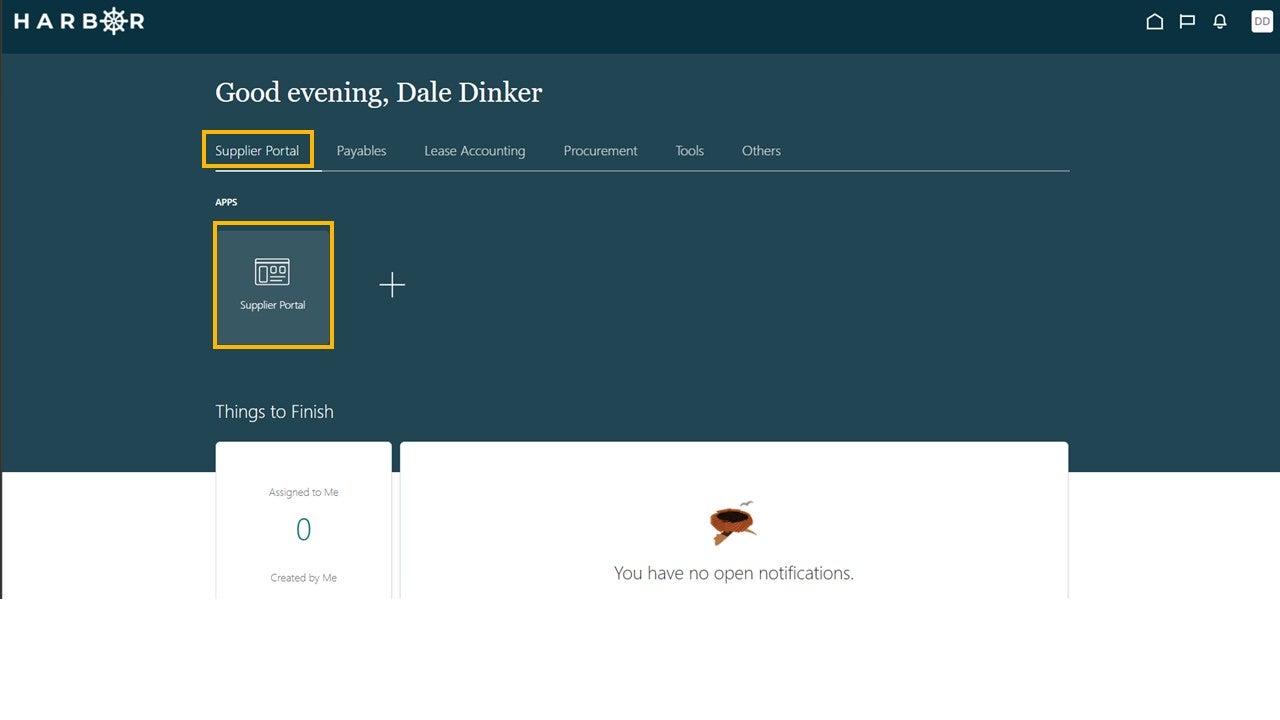
Click on the Supplier Portal tab and click into the Supplier Portal app to access the Work Area.
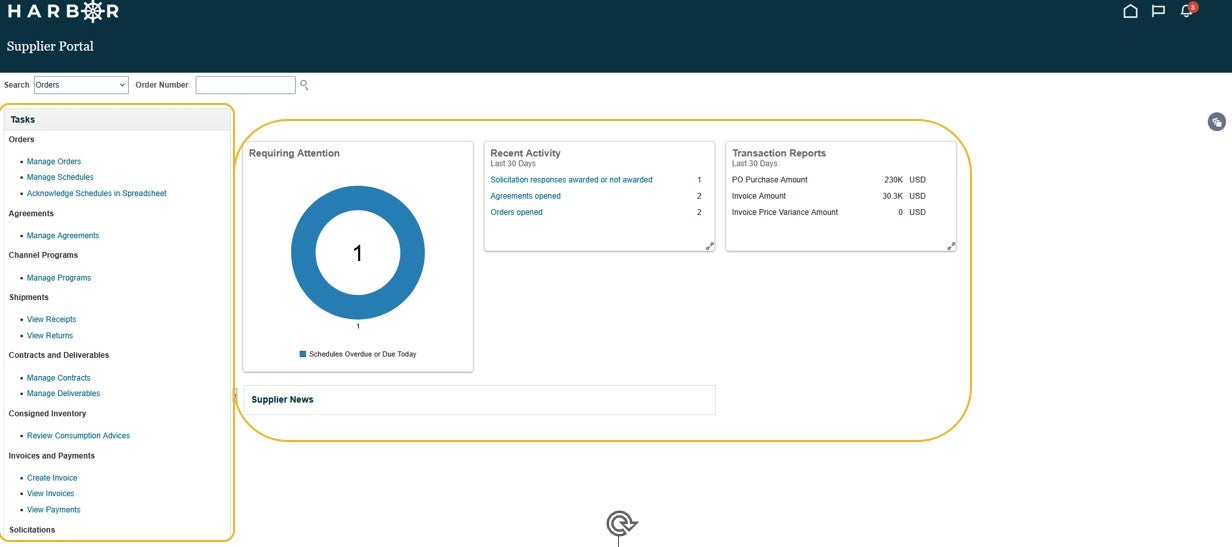
Select a Task from the Tasks pane or Click into the Infolets to access activities and transaction reports.
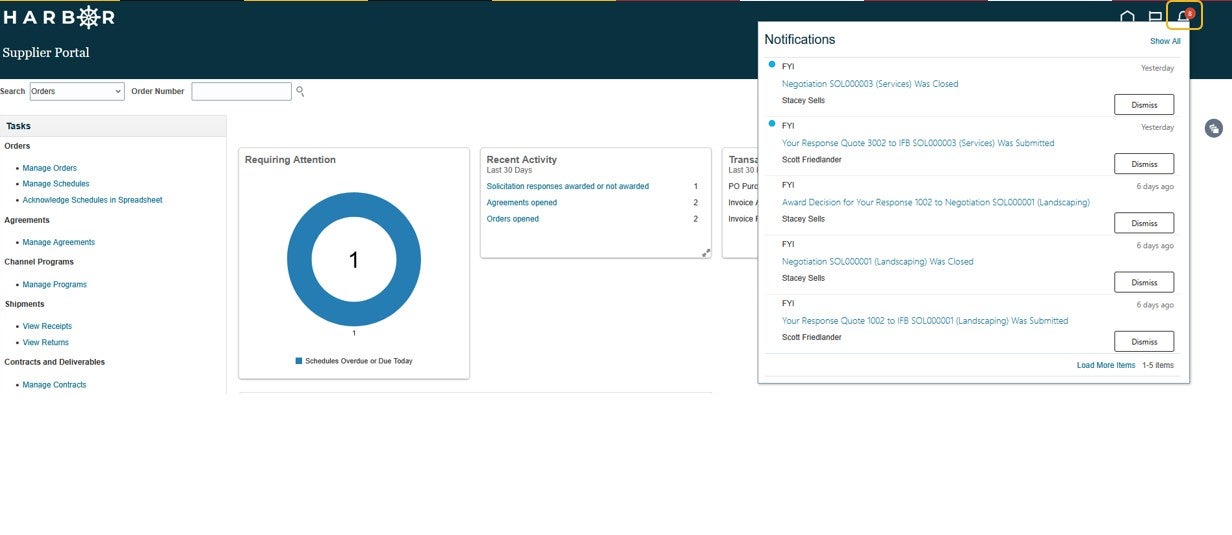
To view Notifications, click on the bell icon.
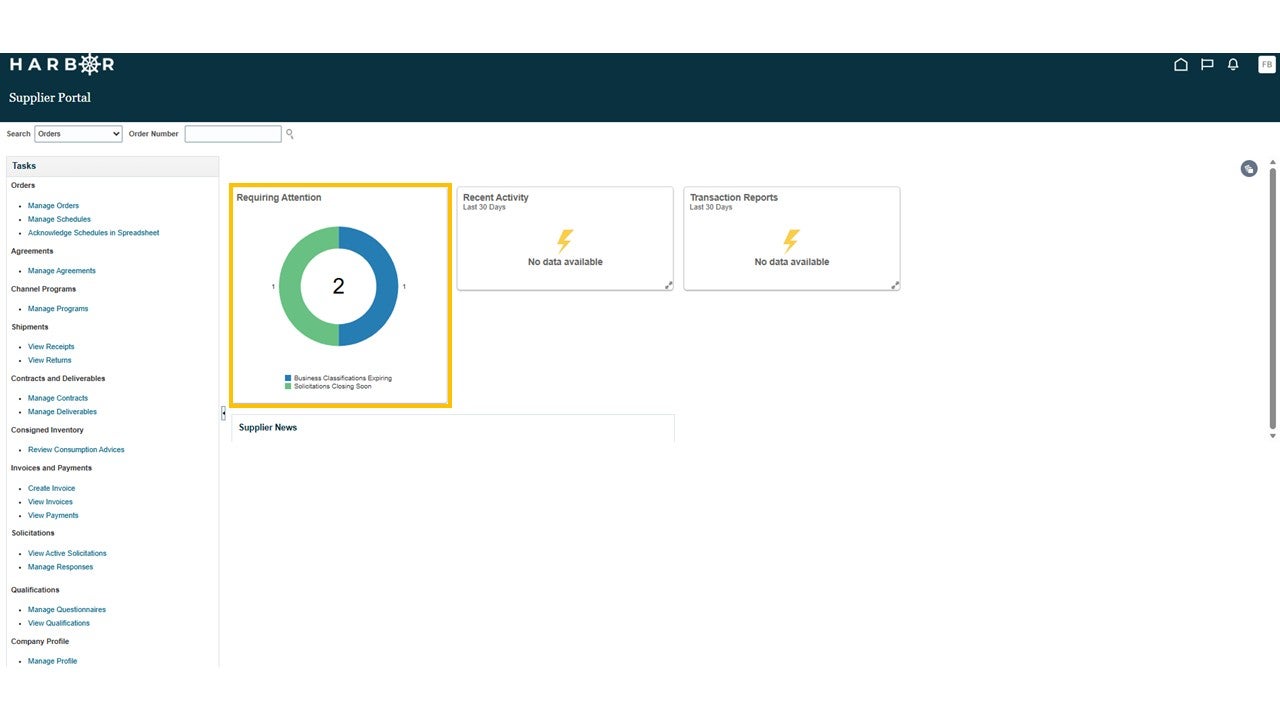
Expiring procurements and related documentation is displayed on the dashboard. Provide submittals and updated documentation prior to expiration timing.
Do not use your web browser back button or hit refresh. Please use either the home button or the 'Back' button within the Harbor.
A single star (*) indicates a required field. Two stars (**) indicate that one of the data fields within a category must be completed.
If there is no activity, the system will time out and you will be required to log back in. Any unsaved work will be lost.