
Please Note: Splash Pad is closed for the season and will reopen Spring 2027
Water Park Ticket Information
- Online Sales: Open at 11:59 p.m. the day before each session and close 30 minutes prior to session start (max 12 tickets per transaction). Tickets are valid only for the purchased session time. The facility (pools, decks, splash pad, sundeck, and locker rooms) is cleared between sessions.
- Capacity Notice: Sessions are limited to 125 participants and sell out quickly. Early purchase is recommended.
- Supervision: Children 12 and under require a paying adult companion.
- Lap Pool usage is not permitted with tickets.
- In-Person Payment: A small allotment is available at the register (max 15 tickets per adult). Cash, checks, and credit cards accepted. Please note: We cannot accept bills larger than $20 for general admission.
Water Park Timed Swim Sessions
Saturdays and Sundays Only (Fall - Spring Hours)
| Daily | Times |
|---|---|
| Session 1: | 11:00am - 12:30pm |
| Session 2: | 12:45pm - 2:15pm |
| Session 3: | 2:30pm - 4:00pm |
All swimmers must be 100% toilet trained to swim in the indoor Water Park pool. Individuals who are not toilet independent may only use the outdoor Splash Pad.
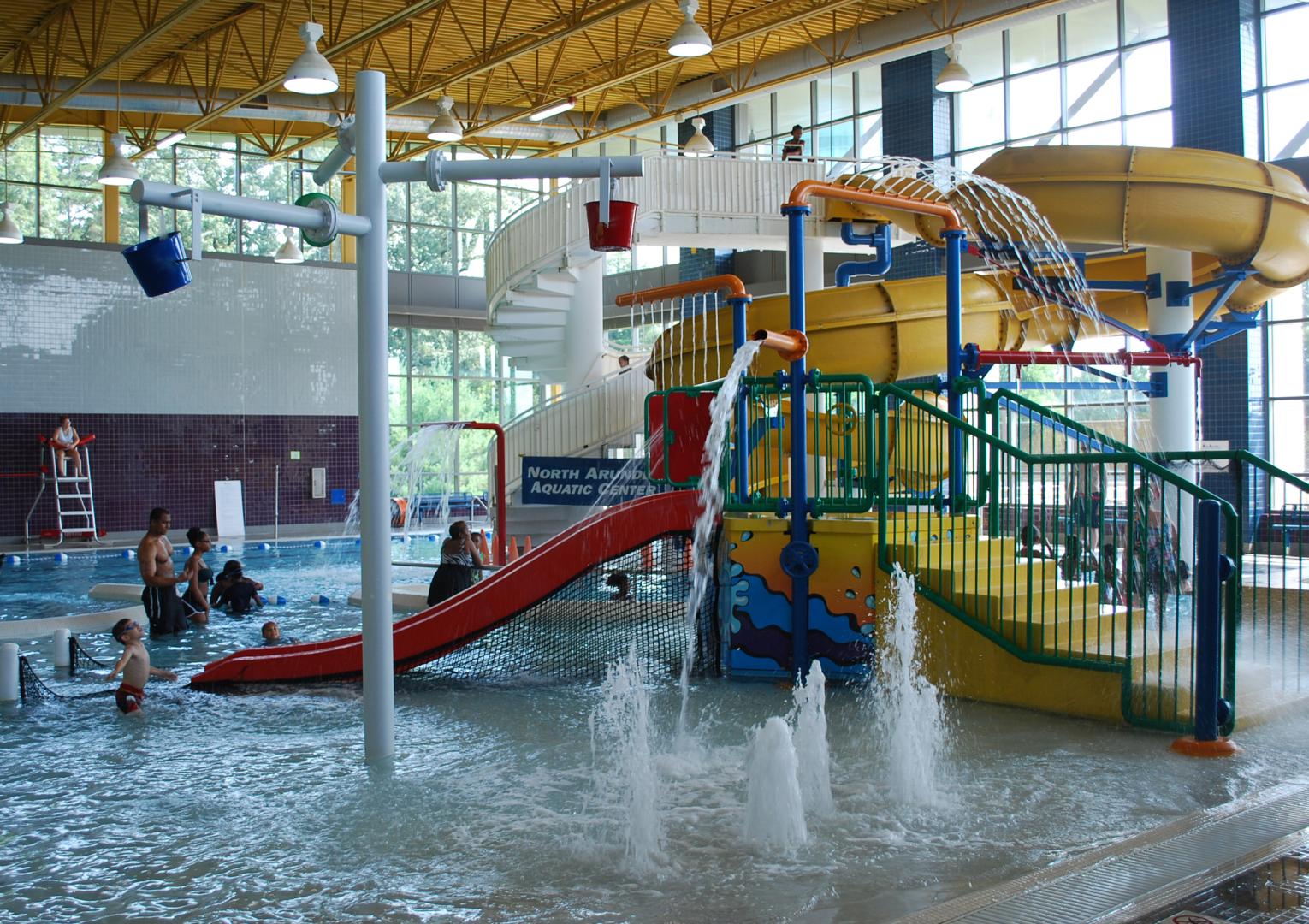
To ride the yellow slide you must be 48" tall. To ride the red slide you have to be under 48" tall.
Note: View the modified weekday schedule from Fall 2026 to Spring 2027.
Water Park Session Ticket Fees
| Water Park & Splash Pad Ticket Fees | Resident (Anne Arundel County) | Non-Resident (Out of County) |
| Youth (17 and Under) | $7.00 | $11.00 |
| Adult (Ages 18-59) | $9.00 | $13.00 |
| Senior (Ages 60+) | $6.00 | $6.00 |
| Military (Active & Retired) | $6.00 | $6.00 |
| Individual with Disability | $6.00 | $6.00 |
| Individuals not toilet independent (fully toilet trained) are free of charge, may only use the outdoor Splash Pad, and must wear a swim diaper. | ||
How to Purchase Water Park Tickets
How to Create an Account - Mobile
- Go to the Recreation and Parks Registration Portal
- Select the three lines at the top left-hand side of the screen.
- Select “Create an Account”.
- Enter a valid email address as the primary account holder.
- Do not use your child’s name as the primary account holder.
- You will add other family members after your account has been created.
- Follow the prompts to fill out your information. All fields marked with an asterisk (*) are required.
- Your sign-in will be the valid email address and password that you choose.
- Once you’ve completed all the required information for your account, submit the form and check your email for an account activation email.
- Click the activation link in your email to activate your account.
- You cannot access your account without this step!
- Go to the Recreation and Parks Registration Portal
- Log in to your account.
- Select the yellow ‘My Account’ button.
- Locate “Lastname’s family” drop-down.
- Open the menu. Under “Lastname’s family”, select “Manage Family Member.”
- Below the last member of your family. Select “+ Add family member.”
- Provide the required information for your family member and submit the form.
- If a family member is a child and does not have an email, please use your email address. Important messages regarding registered programs will be sent to the email submitted.
- Go to the Recreation and Parks Registration Portal
- Log in to your account.
- Select the “Activities” box.
- Use the search bar to look up “Waterpark”.
- To review more details about each program, select the blue program title.
- Dates and times will not be in order.
- To enroll, select the blue “Enroll Now” button.
- Use the drop-down menu to select the participant and complete the enrollment details.
- Read and complete the waiver, then select “Add to cart” or, if you are adding another participant to the program, click the “Register another participant” link above “Add to cart”.
- When finished, select “My Cart.”
- Verify the pricing per person is accurate. If inaccurate, please contact our Front Desk BEFORE completing your purchase.
- Read the Waiver and select the checkbox.
- Select “Check out” to complete your enrollment.
- Follow the prompts to pay with a credit card.
- You will receive a confirmation email shortly after payment has been processed.
- Staff will check in participants by name 15 minutes prior to the start of sessions.
Questions? Contact the Front Desk at 410-222-0090 ext. 4
How to Create an Account - Desktop
- Go to the Recreation and Parks Registration Portal
- Select “Join” under the “Sign In” button.
- Enter a valid email address as the primary account holder.
- Do not use your child’s name as the primary account holder.
- You will add other family members after your account has been created.
- Follow the prompts to fill out your information. All fields marked with an asterisk (*) are required.
- Your sign-in will be the email address and password that you choose.
- Once you’ve completed all the required information for your account, submit the form and check your email for an account activation email.
- Click the activation link in your email to activate your account.
- You cannot access your account without this step!
- Go to the Recreation and Parks Registration Portal
- Log in to your account.
- On the right side of the page, below the section “Balance”, locate “Lastname’s family.”
- Under “Lastname’s family”, select “Manage Family Member.”
- In the gray banner, select “+ Add family member.”
- Provide the required information for your family member and submit the form.
- If a family member is a child and does not have an email, please use your email address. Important messages regarding registered programs will be sent to the email submitted.
- Go to the Recreation and Parks Registration Portal
- Log in to your account.
- Select “Activities” in the blue bar at the top of the page.
- Use the search bar to look up “Waterpark”
- To review more details about each program, select the blue program title.
- To enroll in your interested session, select the blue “Enroll Now” button.
- Use the drop-down menu to select the participant, and complete the enrollment details.
- Read and complete the waiver, then select “Add to cart” or, if you are adding another participant to the program, click the “Register another participant” link above “Add to cart”.
- When finished, select “My Cart” in the blue bar at the top of the page.
- Verify the pricing per person is accurate. If inaccurate, please contact our Front Desk BEFORE completing your purchase.
- Read the Waiver and select the checkbox.
- Select “Check out” to complete your enrollment.
- Follow the prompts to pay with a credit card.
- You will receive a confirmation email shortly after payment has been processed.
- Staff will check in participants by name 15 minutes prior to the start of sessions.
Questions? Contact the Front Desk at 410-222-0090 ext. 4
Modified Weekday Scheduling
When Anne Arundel County Public Schools have a planned weekday closure, the facility operates on modified scheduling. On the dates below, the facility will run water park timed swim sessions 11:00 a.m. to 4:00 p.m.
- October 26, 2026
- November 3, 23, & 24, 2026
- December 28 - 30, 2026
- January 18 - 20, 2027
- February 15, 2027
- March 9, 2027
- March 26 - 31, 2027
- April 1- 2, 2027
North Arundel Aquatic Center
7888 Crain Highway South, Glen Burnie, MD 21061