Log in to the Harbor system
Before proceeding with this help guide, you must be logged into the Harbor financial system. For your security, Harbor requires Multi-Factor Authentication (MFA) to complete the login process.
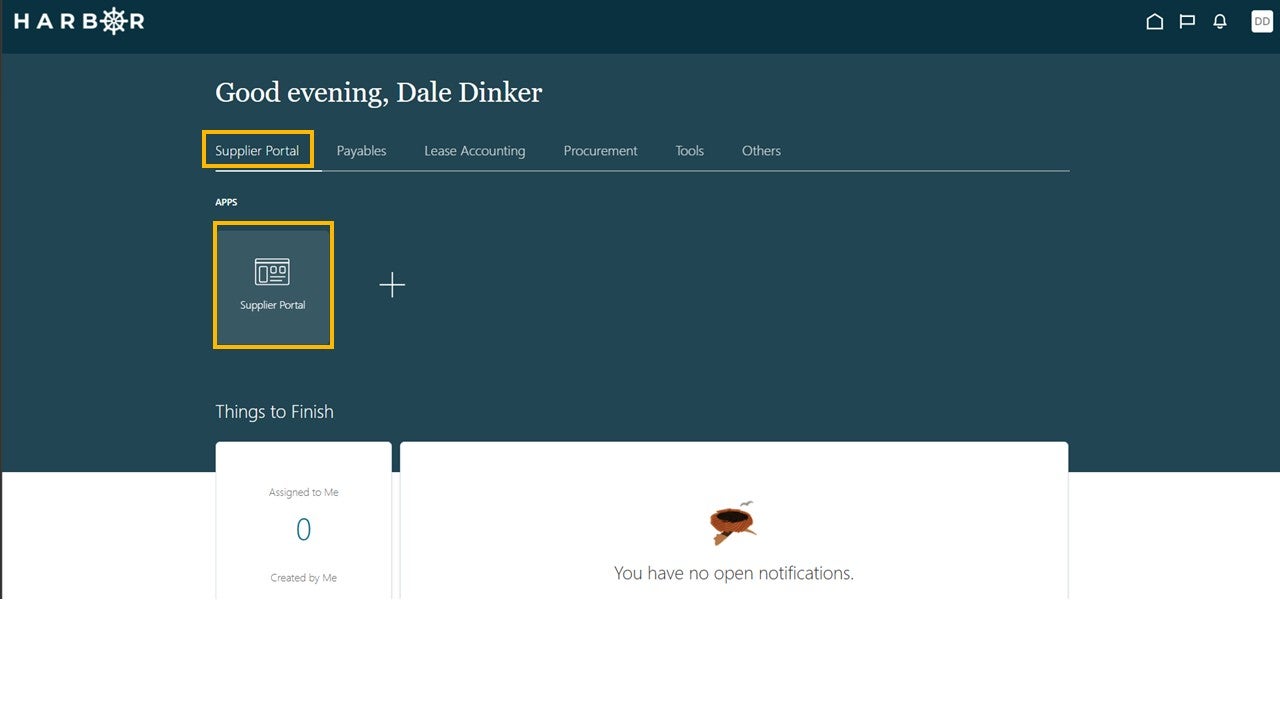
1Click on the Supplier Portal tab and click into the Supplier Portal app to access the Work Area.
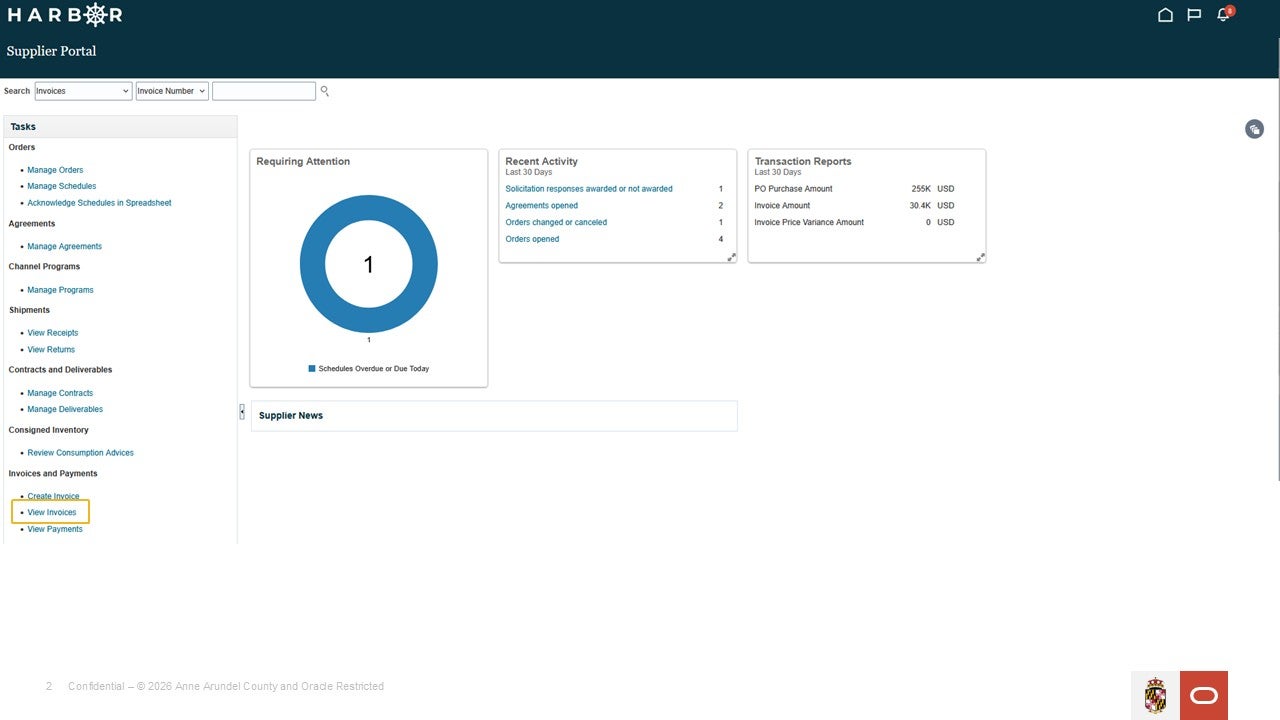
2Click View Invoices in the Tasks pane.
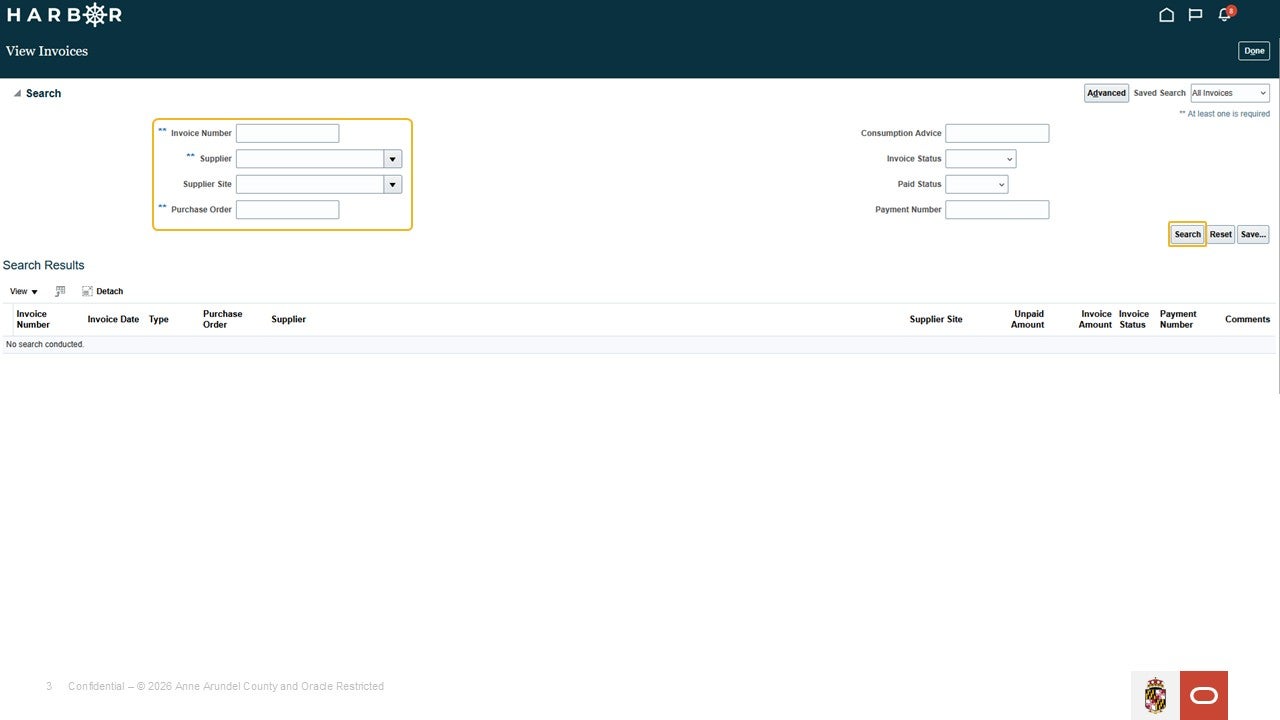
3Enter in a value in one of the required fields and click Search button.
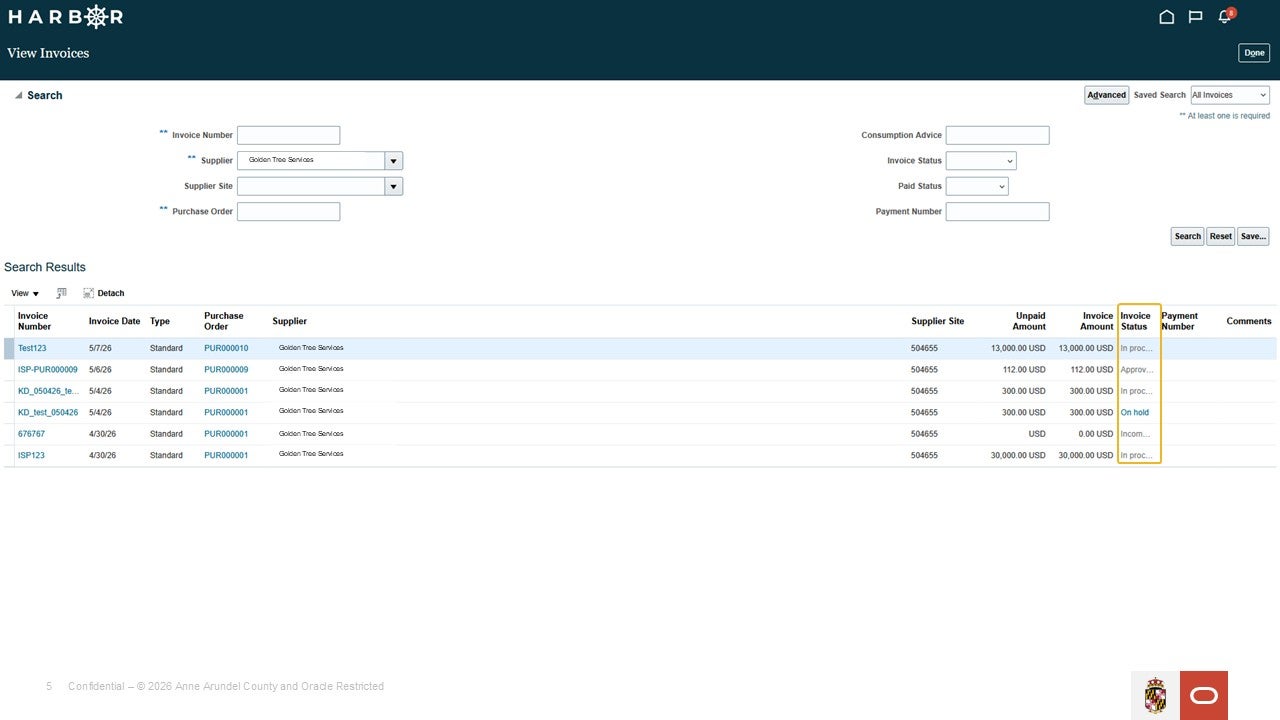
4Click on the Invoice Number to view an invoice.
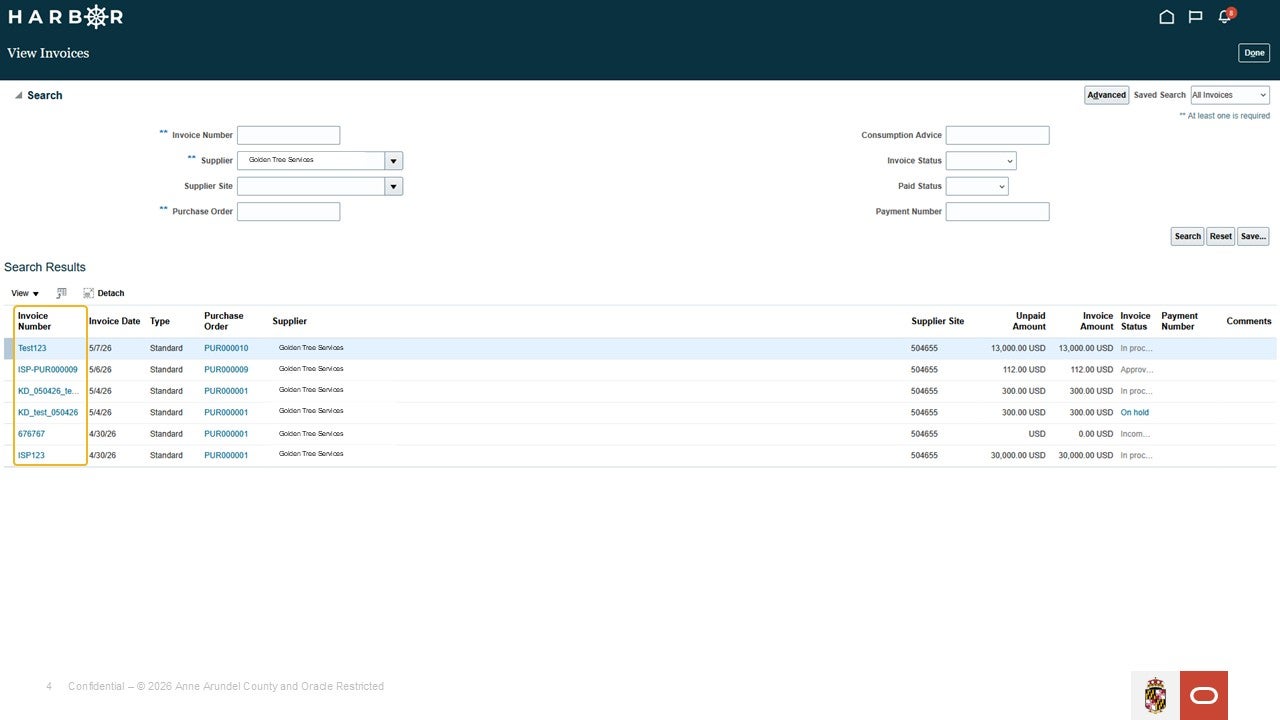
5Additionally, the invoice status can be viewed in the column named 'Invoice Status'.