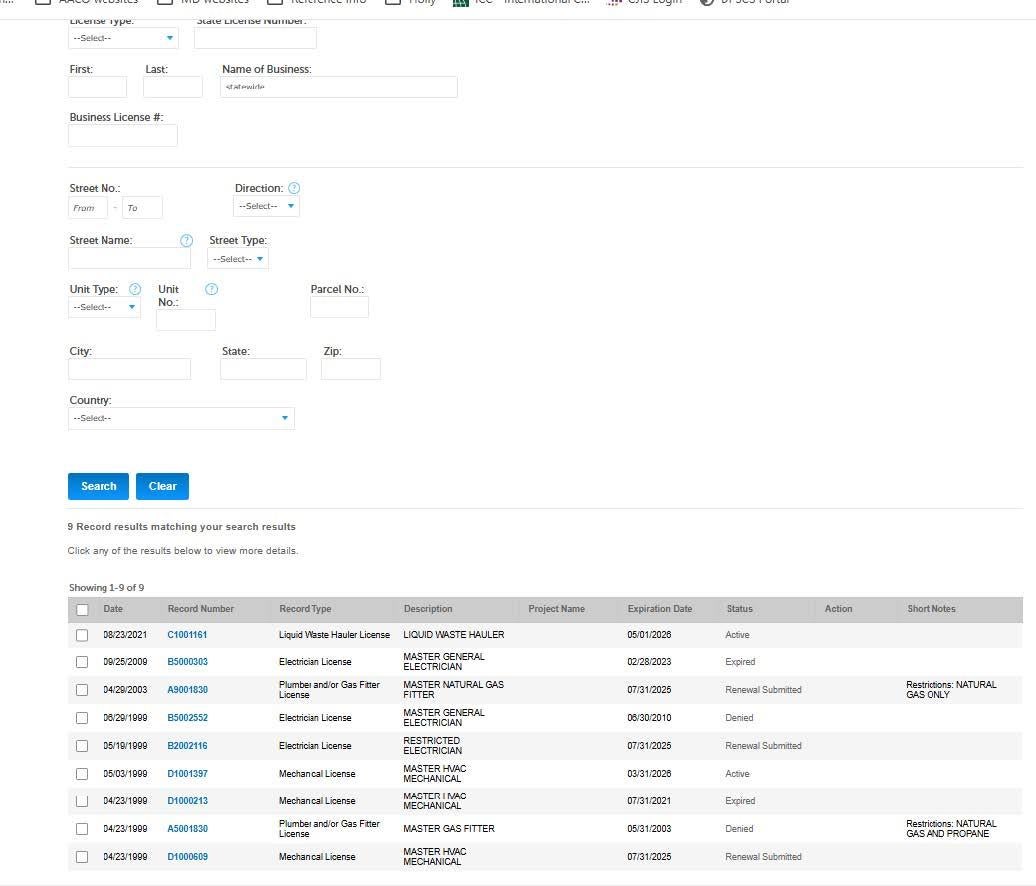
Open the Land Use Navigator (LUN) customer portal. You do not need to sign in or even have
an account to conduct a search.
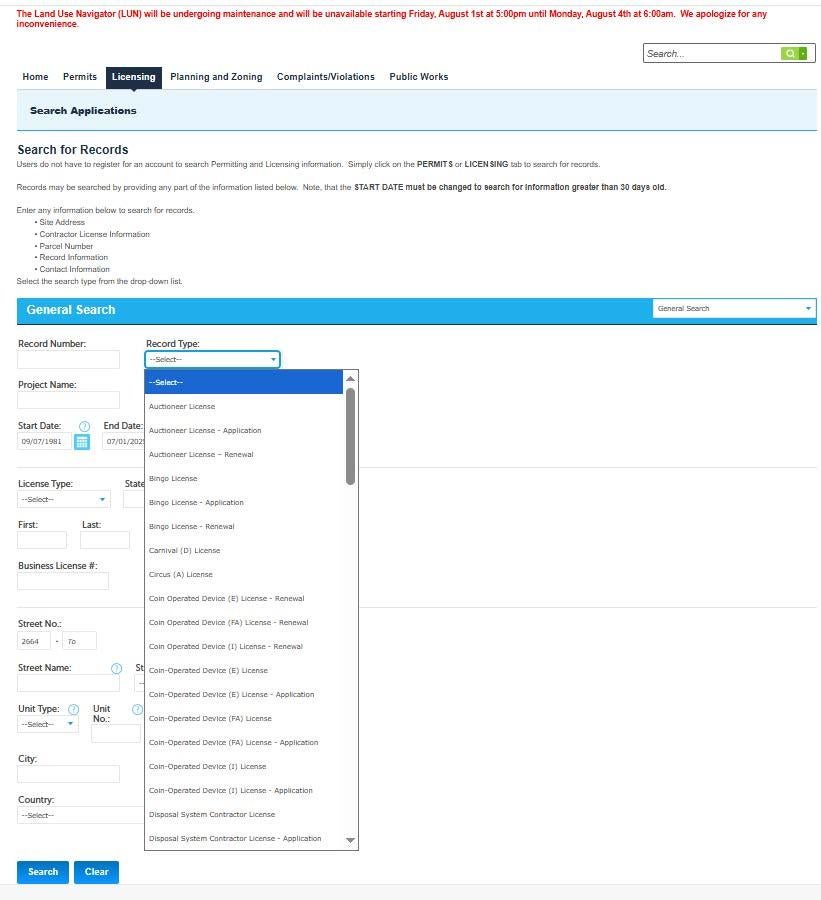
To search for a license, select the Licensing tab. A search can be conducted using various information. The less information entered will produce better results.
Some options you can search by:
- Record Number
- Record Type (license type IE: Multiple Dwelling)
- Name
- Address – either just address number, street name or a combination of both
Below is a screenshot of the Licensing search page with the Record Type drop down visible.
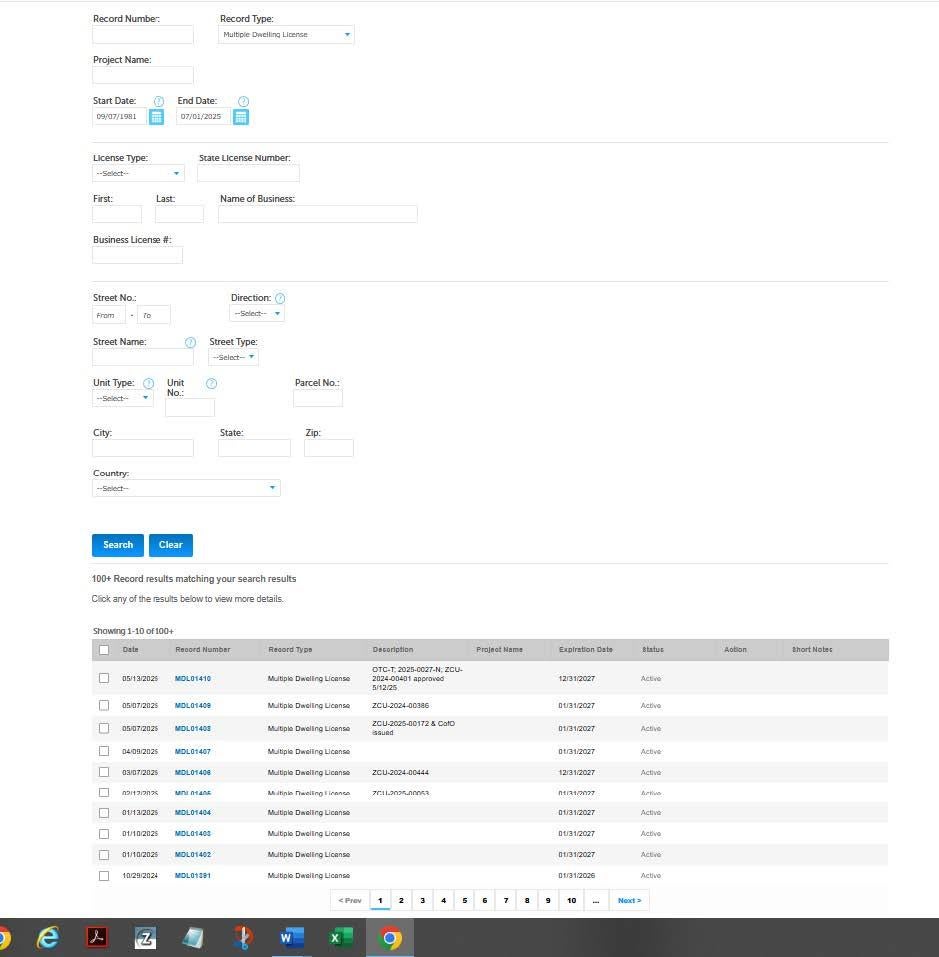
The Multiple Dwelling License option was selected from the drop-down menu. The results
appear as shown in the below screenshot.
The example on the next page shows the search results for Name of Business.